Kiosk Wall Panel · Fire Tablet & Fire TV
Your dashboard, on the wall. Always on.
Kiosk Wall Panel locks a Fire Tablet or Fire TV to one web page: your Home Assistant dashboard, smart-home panel or menu board, fullscreen, PIN-protected, around the clock.
- $1.99 one-time
- No subscription
- No rooting · no ADB
- Setup < 1 min
v1.0.7 · Fire OS & Android 7.1+ · no data collected
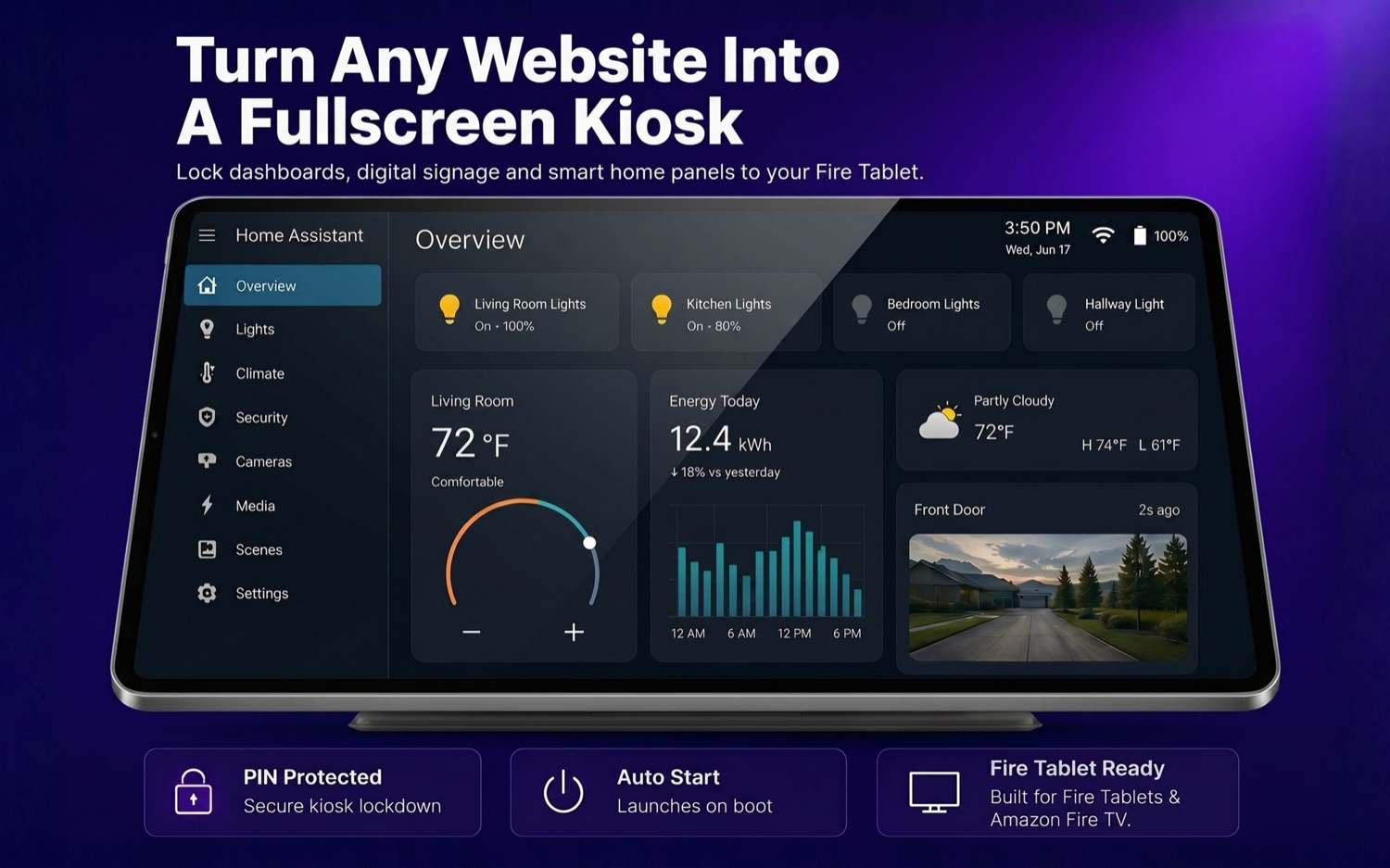
Panel note: Landscape app screen, framed as installed. The screen stays on; the exit stays locked.
The problem
You mounted the tablet. Then the problems started.
The screen keeps sleepingYou walk up to check the cameras and get a black rectangle instead.
Everyone can exitOne curious tap on Home and your dashboard is gone, replaced by someone's game.
Setup guides want ADBSideloading, developer mode, launcher hacks… just to show one web page.
Kiosk Wall Panel fixes all three: straight from the Amazon Appstore, in under a minute.
What you get
A real kiosk, not just a browser
Everything an unattended wall display needs, nothing it doesn't.
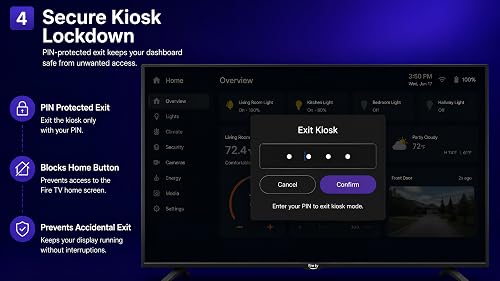
PIN-locked kiosk mode
Blocks Home, recents and exit. Guests, customers and kids see your dashboard, and only your dashboard.
Built for Home Assistant
Home Assistant, Hubitat, openHAB, Node-RED, Grafana, or any web dashboard. Rotate several pages on a timer.
Night mode & screensaver
Scheduled screen on/off saves the panel overnight with no burn-in and no wasted power. Motion detection wakes it as you approach.
Set & forget reliability
Auto-start on boot, auto-reload on schedule, automatic recovery when Wi-Fi drops and returns. It just keeps running.
Remote web admin
Reload, switch pages, change the URL or wake the screen from any phone or laptop on your network. Never touch the wall.
Fire Tablet + Fire TV
Full touch on tablets, complete D-pad remote navigation on Fire TV, and an on-screen PIN pad built for the remote.
Installation
On the wall in under a minute
Install from the Appstore
One tap on your Fire Tablet or Fire TV. No sideloading, no developer mode, no cables.
Enter your dashboard URL
Paste your Home Assistant address, or any web page, and set your exit PIN.
Mount it & forget it
The panel stays fullscreen day and night, survives reboots and Wi-Fi drops, and only unlocks for you.
// that's the whole setup. no step 04.
The screens
See it on your device

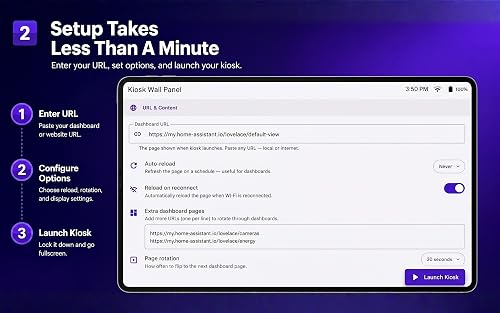


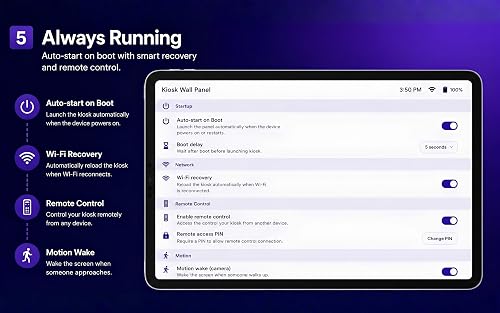

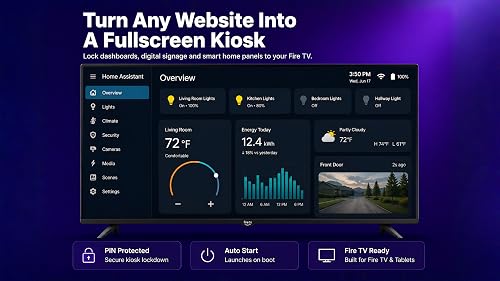




Where it lives
One app, a lot of walls
Home Assistant panel
Lights, climate, cameras and energy, controlled from the hallway wall.
Menu & info boards
Cafe menus, daily specials and opening hours that never fall asleep.
Office dashboards
Meeting-room schedules, KPIs and status boards for the team wall.
Digital signage
Gyms, churches, receptions, shop windows: any screen that shows one page, forever.
Questions
Questions, answered
Does it work with Home Assistant?
Yes. Point it at your Home Assistant URL (or Hubitat, openHAB, Node-RED, Grafana, any web dashboard) and it stays fullscreen around the clock. Multi-page rotation can cycle several dashboards on a timer.
Do I need to root or sideload anything?
No. It installs straight from the Amazon Appstore: no sideloading, no rooting, no ADB commands, no developer mode. Setup takes about a minute.
Can people exit the kiosk?
Not without your PIN. Kiosk mode blocks Home, recents and exit, so guests, customers and kids only ever see your dashboard.
What happens after a power cut or Wi-Fi drop?
Auto-start relaunches the kiosk on boot, auto-reload refreshes your page on a schedule, and network recovery reloads the dashboard automatically when Wi-Fi returns.
Does it work on Fire TV too?
Yes. Full touch support on Fire Tablets plus complete D-pad remote navigation on Fire TV, including an on-screen PIN pad made for the remote.
Is there a subscription? What about my data?
No subscription. It is a one-time $1.99 purchase. The developer states the app does not collect or transfer user data to third parties, and the optional motion-wake camera never records or stores anything.
Put your dashboard on the wall tonight.
No subscription, no account, no data collected. Install, paste your URL, mount it, done.
v1.0.7 · 8.7 MB · Fire OS & Android 7.1+ · sold via Amazon